How to manage purchase orders in Aratum Ledger?
A Purchase Order (PO) in a ledger is a formal document issued by a buyer committing to pay the seller for the supply of specific goods or services at agreed prices and terms. In the ledger, the entry of a PO marks the initial recognition of a pending financial transaction, serving several pivotal roles in financial management and accounting. It functions as a control mechanism, enabling businesses to manage their purchasing process, budget effectively, and ensure that expenditures do not exceed authorized limits. The ledger entry for a PO typically includes details such as the PO number, date of issuance, description of goods or services, quantities, prices, and total commitment amount. This facilitates the tracking of incoming goods or services, helps in reconciling invoices upon delivery, and is crucial for accurate financial forecasting. Recording POs in a ledger aids in maintaining transparency, enhancing accountability, and supporting audit trails, thereby contributing to effective financial governance and operational efficiency.
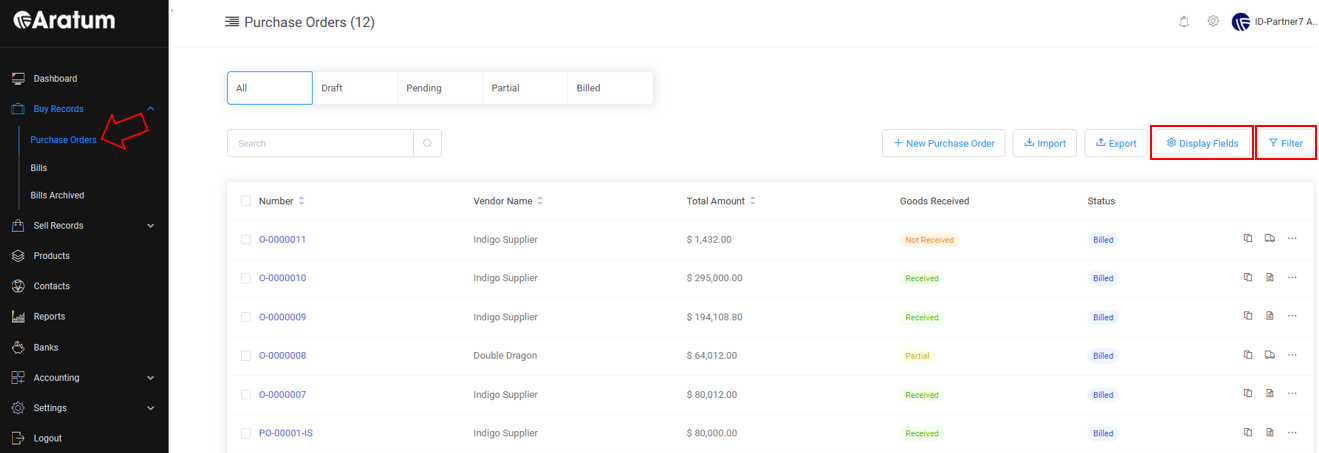
Users can add Purchase Order (PO) into the system based on the options below.
A.) To add Purchase Order manually.
Purchase Order Adding through Manual Flow
B.)Through import template.
Purchase Order Adding through Import Flow
Purchase Order Adding through Import Flow
With the creation of Purchase Order draft, users can track its’ status from ‘Pending’ till ‘Billed’.
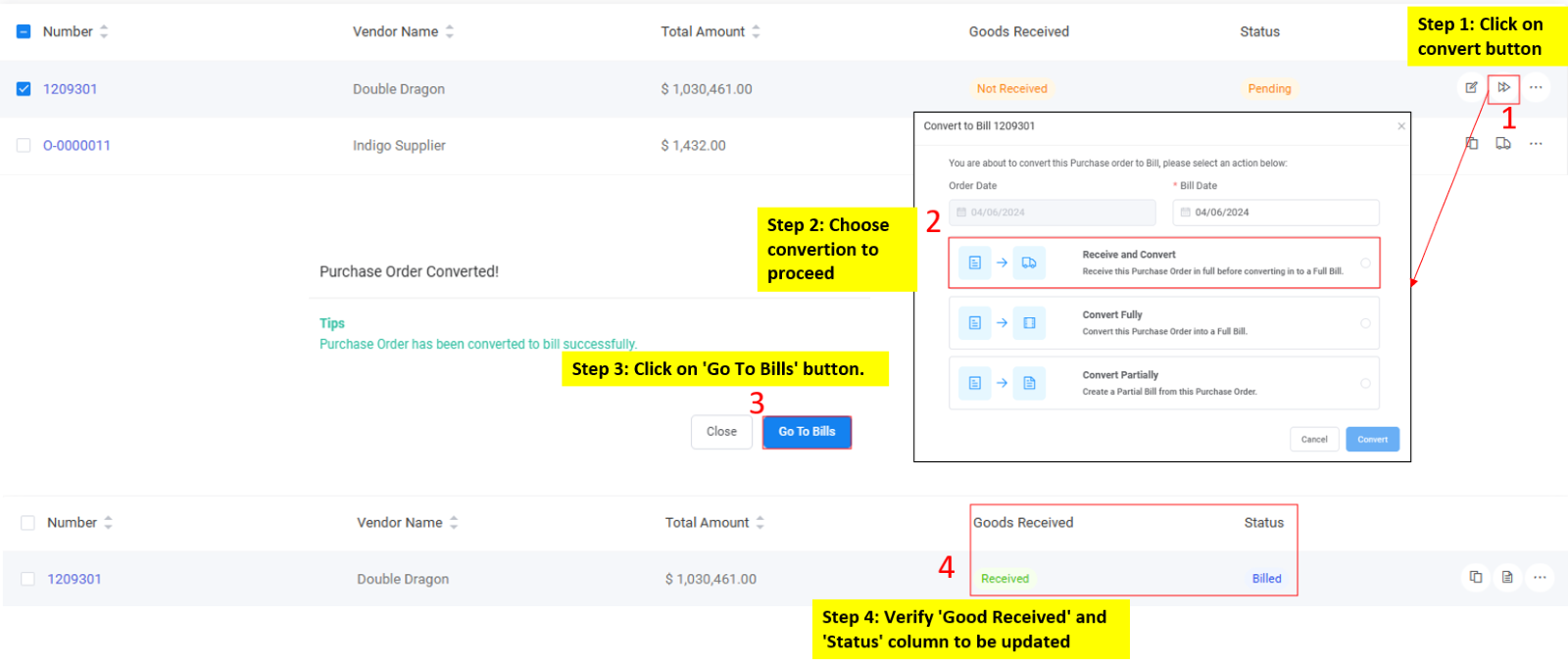
Bill Conversion Flow
Bill Conversion Flow