How to manage contacts in Aratum Ledger?
Contacts in a ledger refer to the comprehensive listing of individuals and entities with whom a business has a financial relationship. This includes customers, suppliers, creditors, and debtors, among others. Recording contact details—such as names, addresses, phone numbers, and transaction histories—enables efficient management of business relationships and facilitates smooth financial operations. By maintaining an organized and accessible record of contacts, a business can enhance communication, streamline invoicing and payments, and improve customer service. Additionally, this practice supports compliance with legal and regulatory requirements by ensuring accurate and verifiable records of financial transactions and interactions. Ultimately, contacts in a ledger are indispensable for effective business administration, fostering strong relationships, and driving operational success.
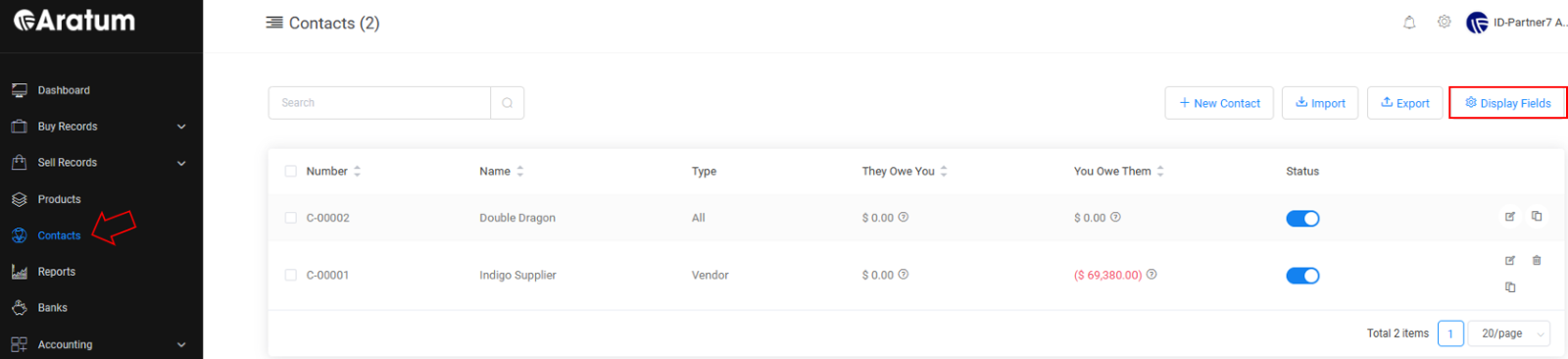 Contacts Table
Our Contacts Table is customizable, enabling users to easily adjust display fields to fit their preferences with just a few simple settings.
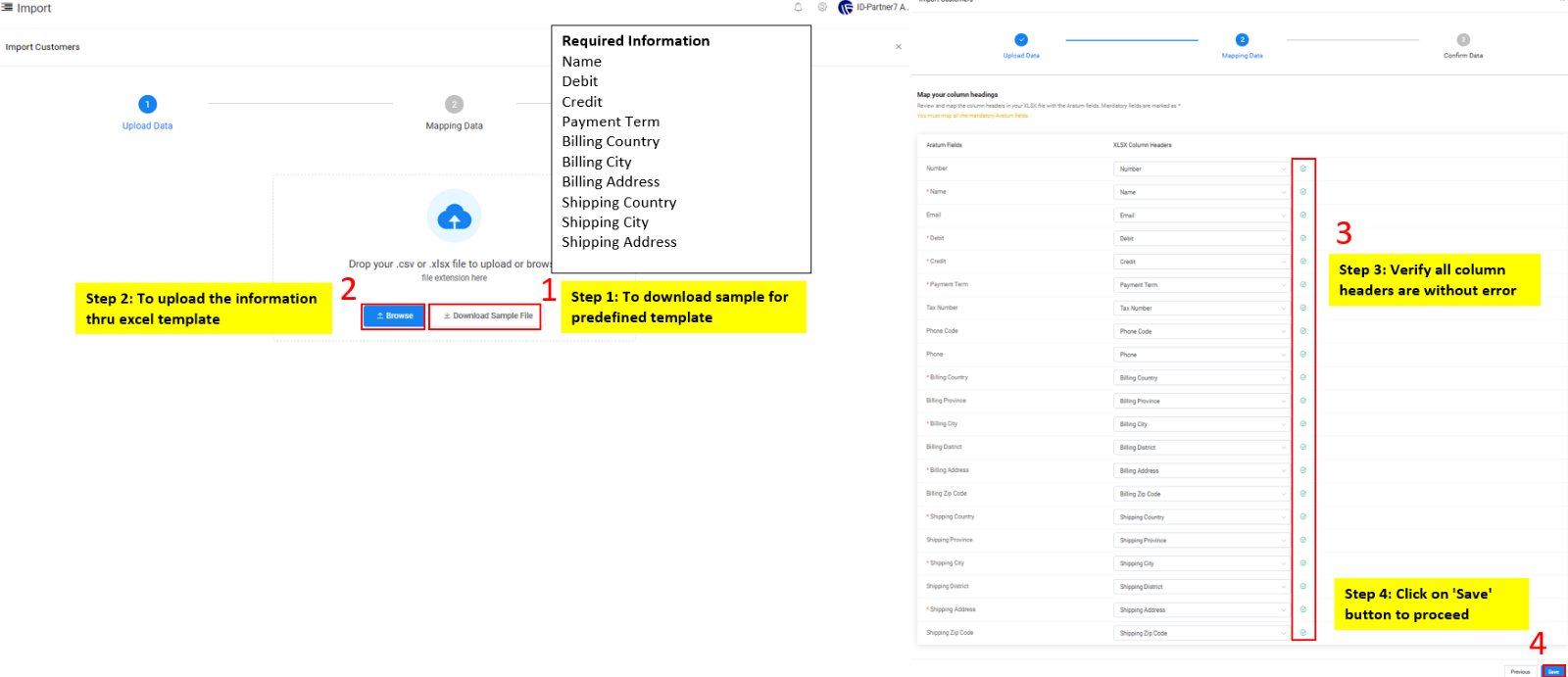
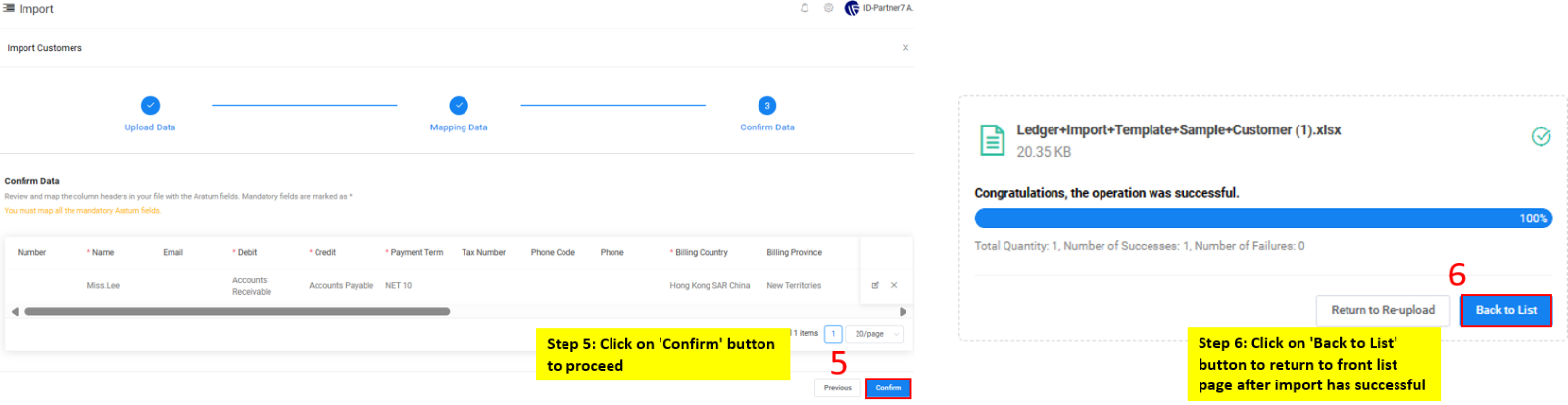 Contact Adding through Import Flow
Our Contacts Table is customizable, enabling users to easily adjust display fields to fit their preferences with just a few simple settings.
Users can add new contacts into the Contact Table with the options below.
a) To add New Contact manually.
b) Through import template.