How to add Journal Entry in Aratum Ledger?
A journal entry in a ledger is the fundamental process of recording all the financial transactions of a business. Each entry typically consists of a date, a brief description of the transaction, the accounts affected, and the amounts debited and credited. This double-entry bookkeeping system ensures that the accounting equation (Assets = Liabilities + Equity) remains balanced, reflecting the true financial state of the business. Journal entries are chronological and provide a comprehensive record of all business activities, serving as the primary source for all financial reporting and analysis. They are crucial for tracking the flow of money, assessing financial performance, and ensuring accuracy and compliance in financial documentation.
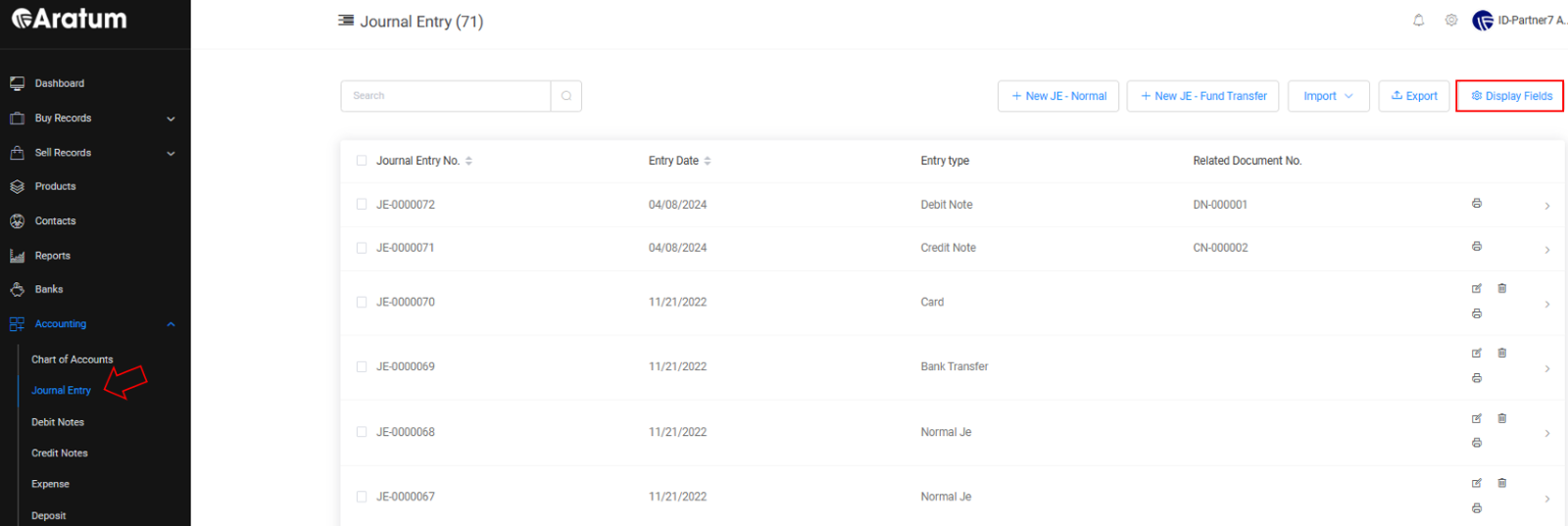
Journal Entry Table
Our Journal Entry Table is customizable, enabling users to easily adjust display fields to fit their preferences with just a few simple settings.
Journal Entry Table
Our Journal Entry Table is customizable, enabling users to easily adjust display fields to fit their preferences with just a few simple settings.
Users can add Journal Entry record & Journal Transfer Fund with options below:
a) To add Journal Entry record manually.
Journal Entry Adding through Manual Flow
b) To add Journal Transfer Fund record manually. 
Journal Transfer Fund Record Adding through Manual Flow
c) Through import template. 
Journal Entry Adding through Import Flow
Journal Transfer Fund Record Adding through Import Flow
Journal Transfer Fund Record through Import Flow